Paresh Mayani
17 September 2026
share article


Key takeaways
|
“FlutterFlow AI” shows up in almost every pitch deck we look at these days, usually right before someone asks whether they still need to hire developers at all. Fair question. FlutterFlow is one of the more mature low-code platforms in the Flutter ecosystem, and over the past two product cycles it has bolted AI onto nearly every stage of the build: page layout, theming, database schema, even the choice between light and dark mode.
Here's the direct answer, up front: FlutterFlow's AI writes the app for you. It doesn't automatically give your app's users AI features. Those are two different things, and mixing them up is where a lot of founders get burned a few weeks into a build, right after the pitch deck says “AI-powered” and the low-code tool hasn't actually delivered that part.
This post walks through what FlutterFlow's AI does well, where it stops, and when that gap means you need an actual Flutter developer on the project. If you're weighing whether a low-code AI builder can replace a hiring decision, talk to our team before you spend a quarter's runway finding out the hard way.
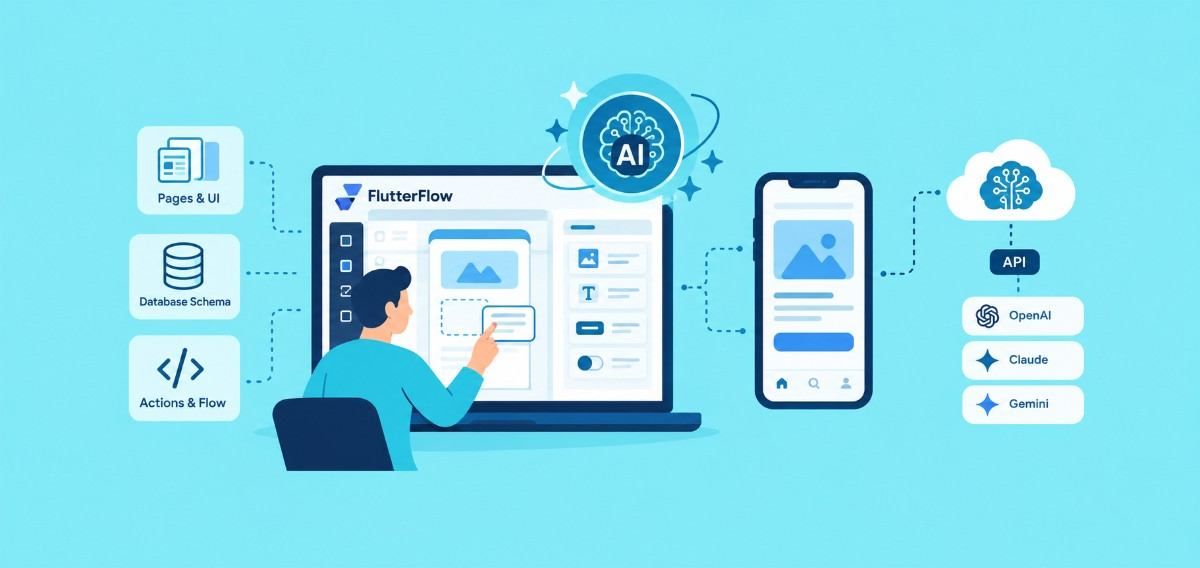
This is the mix-up we run into most. FlutterFlow's AI chat panel is genuinely good at generating widgets, wiring up actions, and writing the boilerplate that used to eat a junior developer's first week on a project. But that AI is helping the person building the app. It has nothing to do with whether the finished app can summarize a document, answer a support question, or recommend a product to a real user.
Those are two separate categories, worth naming clearly:
A detailed breakdown from RapidEvelopers puts it plainly: FlutterFlow's AI chat generates widgets and code for the app builder, not AI capabilities for the app's end users. To add those, you connect a Cloud Function to an external model provider yourself. That single distinction should shape every scoping conversation before a screen gets built.
Credit where it's due. Inside the builder, FlutterFlow has shipped a genuinely useful set of tools:
None of this is a demo trick. FlutterFlow's own changelog shows steady, incremental work on prompt fidelity, which tells you it's a maturing product rather than a one-time feature announcement.
Here's the part that catches founders off guard. Say your spec includes “AI chat support” or “smart recommendations.” FlutterFlow's AI didn't build those features for you. It can't, because that requires connecting your app to an actual language model at runtime, with your own API key, your own prompt design, and your own handling for when the model returns something unusable.
FlutterFlow can help you wire that connection; its AI chat can write the Cloud Function that calls OpenAI or Gemini. But someone still has to:
That's development work, and it's the same work whether you started in FlutterFlow or hand-wrote every line of Dart. The low-code layer speeds up the UI and data model sitting around the AI feature. It doesn't remove the engineering the AI feature itself requires.
Low-code adoption isn't hype dressed up as a trend. Gartner's own forecast put the worldwide low-code development technologies market at $44.5 billion by 2026, a 19.6% jump from the prior year, and adoption has kept pace with that forecast. Businesses are voting with their budgets, and FlutterFlow is one of the platforms picking up that demand.
But speed comes with a learning curve most people underestimate going in. One independent platform review puts FlutterFlow's ramp-up time for non-developers at 40 to 100-plus hours before someone can build production-grade screens with confidence, and longer once you move past basic CRUD screens into custom state management or third-party integrations.
| What FlutterFlow AI speeds up | What still needs a developer |
| UI layout and theming | Custom state management (BLoC, Riverpod) at scale |
| Basic database schema | Complex data relationships, migrations, security rules |
| Simple CRUD screens | AI feature integration: prompting, streaming, cost control |
| First-draft code scaffolding | Performance tuning, app store review issues, edge cases |
If you're validating an idea, running a pilot with a handful of internal users, or working against a two-week deadline, FlutterFlow's AI tools are the right call. Use AI Gen to get a working prototype in front of stakeholders fast. That's precisely the job it's built for.
The calculus changes once you're past validation. If your app needs to scale past a few thousand users, ship a real AI feature customers will pay for, or pass an enterprise security review, you'll hit the edges of what builder-AI can hand you. At that point, the fastest path isn't forcing the low-code layer to do custom engineering. It's bringing in a Flutter developer who can read the exported code, keep what's working, and build the part the AI couldn't touch.
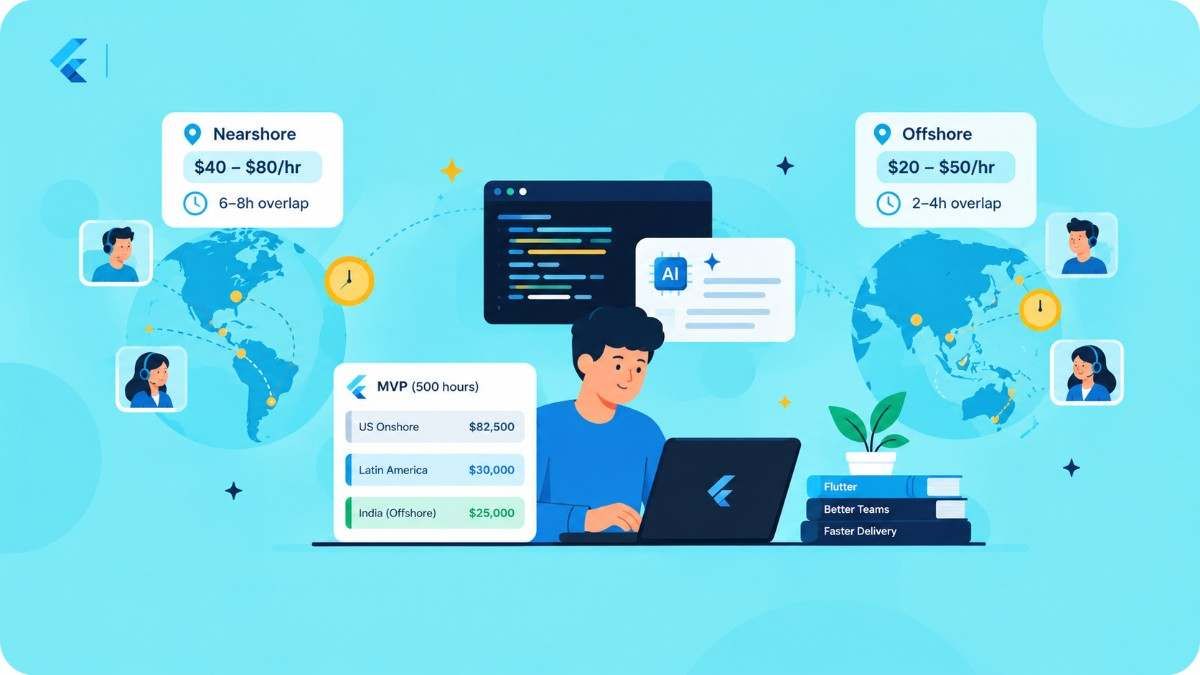
We see this pattern constantly with founders who reach out after outgrowing FlutterFlow's builder-AI: the exported code is usually clean enough to build on, which saves real time versus starting over. If your team is distributed and you'd rather not manage that handoff alone, a nearshore Flutter team can pick up the exported project in your time zone without the ramp-up a full in-house hire requires.
Most of the FlutterFlow rescue projects that land on our desk share the same shape: a founder used AI Gen to move fast, hit a wall around a custom AI feature or complex state management, and needs a developer who won't insist on a rewrite just to feel useful. Our developers read the exported Dart code first, keep the parts that work, and scope only what actually needs custom engineering. We're not precious about the tool you started with. We care about shipping what your roadmap actually needs.
If that sounds like where you're headed, get in touch and we'll tell you honestly whether your project needs a full rebuild or a few weeks of targeted work.
It builds a strong first draft: pages, themes, database schema, and basic action-flow logic from a text prompt. It doesn't handle app store submission, custom business logic beyond simple flows, or QA across edge cases. Treat it as a first draft, not a finished product.
Yes, but not automatically. You connect a Cloud Function to OpenAI, Claude, or Gemini's API, and FlutterFlow's AI chat can help write that connection. Someone still has to design the prompt, handle streaming responses, and manage API costs.
For a quick prototype or an internal tool, often yes. For a production app with real users, custom AI features, or complex data relationships, no. The AI speeds up the parts it's good at and leaves the rest for a developer to finish.
FlutterFlow exports real Flutter and Dart code that you own. A developer can open that export, extend it, and add whatever the visual builder couldn't handle, without starting over from scratch.
Independent reviews put the learning curve for non-developers at 40 to 100-plus hours before you can build production-grade screens confidently. Experienced Flutter developers ramp up faster since they can read and correct the generated code directly.
Let’s begin a collaborative journey together where we craft Flutter applications that set benchmarks for you.