Building a robust and responsive application depends heavily on the development approach. Be it the coding method or programming language used while creating the application, everything relies on what you choose. And as someone wishing to build a successful business application, you have to make the smartest choice!
Among several app development platforms, Flutter vs Swift has been the topic of discussion for quite some time now. Even sometimes, it comes to Flutter vs React Native vs Swift! But what should be your choice when it comes to app development?
Read on to see our take on Flutter vs Swift performance & learn which is the best app development tool in 2025.
Flutter vs Swift: Which Framework Wins the App Development Battle in 2025?
With the strong back support from Google, Flutter has created a robust place in the community within a short period of time. As a programmer, you can now create mobile apps by just writing one code. How exciting is that? This discussion will clarify your doubts about which framework to go for.
Flutter at a Glance: Why Developers Engage with it?
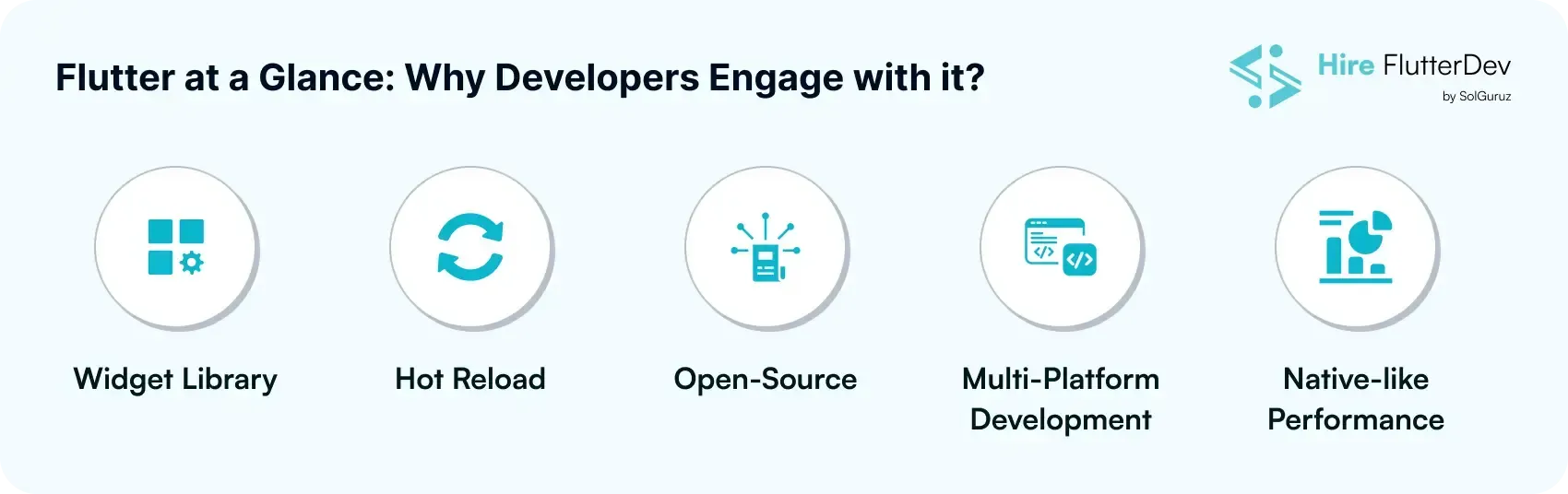
With the help of Flutter's numerous features, mt is the best app development tool. With it, you can create apps while testing and deploying them without any problem.
Widget Library
Flutter includes dynamic UI components as widgets in the library, which you can use for customizing the app designs seamlessly
Hot Reload
Flutter’s exceptional framework is crafted in a way that lets you make amends in a live environment. You do not have to hamper the applications at the production stage to change designs. Ultimately, it helps find errors and make changes much faster.
Open-Source
As Flutter is built with an open-source technology, you can easily make changes using the source code. Furthermore, developers get to deploy certain framework changes without any problem.
Multi-Platform Development
Flutter lets you develop applications that run smoothly on both Android and iOS. In addition, apps built with Flutter run seamlessly on several web and mobile platforms. The best thing is that you don’t need separate codes for it.
Native-like Performance
Yes, Flutter does offer you native like performance, besides its cross-platform framework. Additionally. This widget enables a platform that allows a wide range of features and a complete set of functionalities in apps.
Even though there are many Flutter app development company options available, choosing the right one can make a real difference. The right partner won’t just build your app - they’ll help you understand every technical and strategic detail before development begins, ensuring smarter and more confident decisions.
Flutter Pros & Cons: Is It the Right Choice for You?
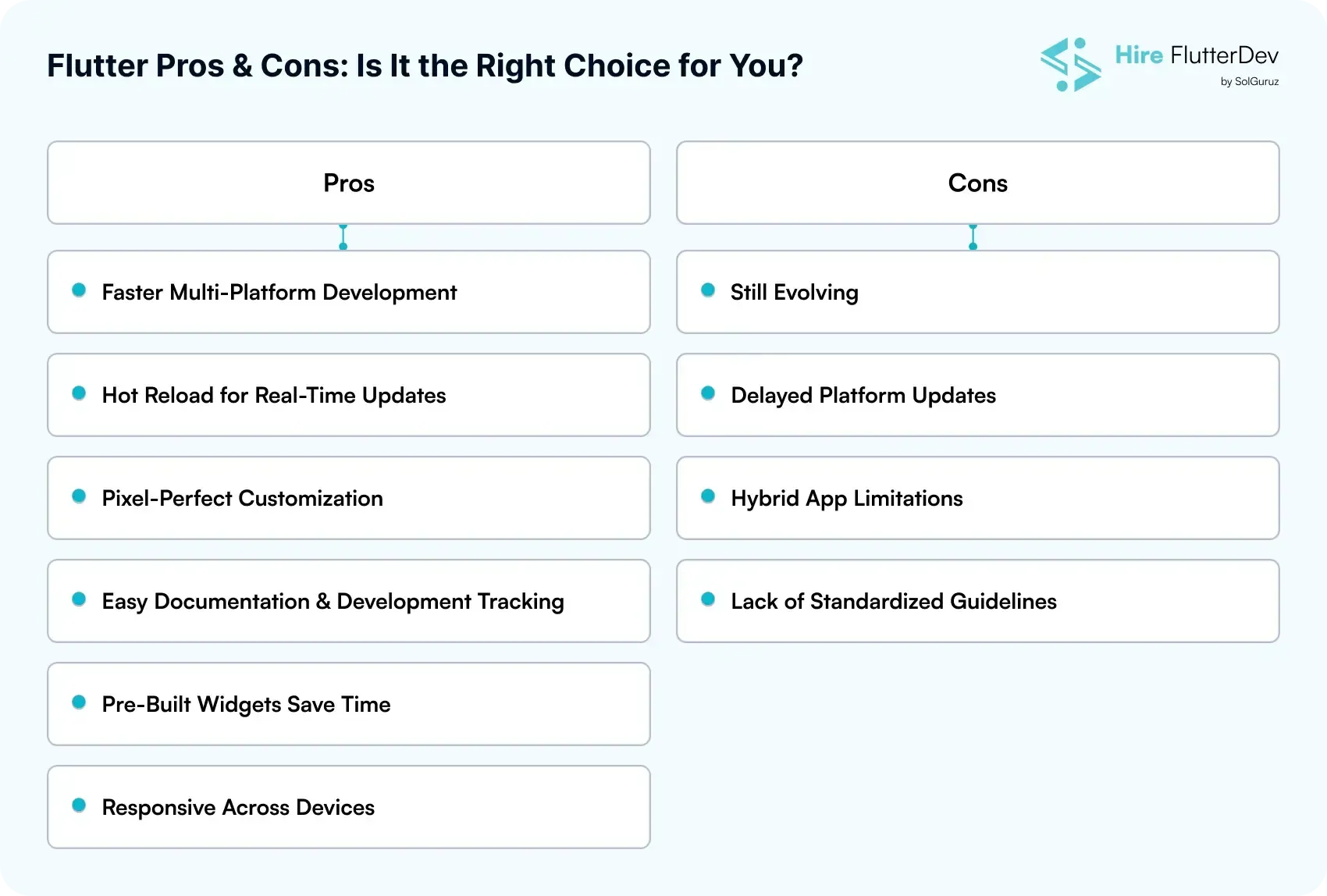
Have you ever thought about what basis Flutter is being used by developers around the globe? Below are some of the pros and cons that will help you to decide:
Pros
The following advantages of Flutter critically show why Flutter is in demand:
Faster Multi-Platform Development
We all know that with the use of Flutter, you can write code one at a time and which ultimately saves your time at best. This means that you can now eliminate the need for a separate team for iOS and Android.
Hot Reload for Real-Time Updates
This cross-platform enables developers to make changes and provide real-time updates, which ultimately makes the debugging and testing simple.
Pixel-Perfect Customization
This layered architecture provides you with control over UI components, allowing developers to create highly customized, beautifully designed, stunning apps.

Easy Documentation & Development Tracking
Flutter enables documenting every step of the development process, ensuring clear visibility and smooth project management.
Pre-Built Widgets Save Time
The widget library reduces the urgency to build from scratch, boosting the development process.
Responsive Across Devices
All responsive design across devices, only possible with the help of Flutter, as it ensures that everything is consistent and ultimately improves the user experience.
Cons
Even after having all the exceptional benefits, Flutter also has a few drawbacks.
Still Evolving
Flutter is continuously updated, which means some features are still emerging and may not yet be fully stable.
Delayed Platform Updates
Sometimes, iOS and Android version updates can lag behind Flutter’s release cycle, causing compatibility challenges.
Hybrid App Limitations
The one drawback is that Flutter lags when it comes to responsiveness because it cannot provide fully native apps.
Lack of Standardized Guidelines
Being open-source, Flutter doesn’t have a fixed design or development guideline, which can make standardization across projects harder.
ProTip: It is important for you to search for the Flutter app development services that will help you in building your app seamlessly and with budget-friendly criteria. Make sure you have qualified research in the relevant domain.
Swift at a Glance: Apple’s Powerhouse for Native App Development
Swift is globally known for its high-end programming language that has been crafted by an exceptional open-source community and backed by Apple. Swift is a general-purpose and multi-paradigm language. The programming language supports several functions like dynamic dispatch, extensible programming, and late binding. The Swift 5.0 version introduced multiple dynamic features that augmented the developers’ capabilities significantly.
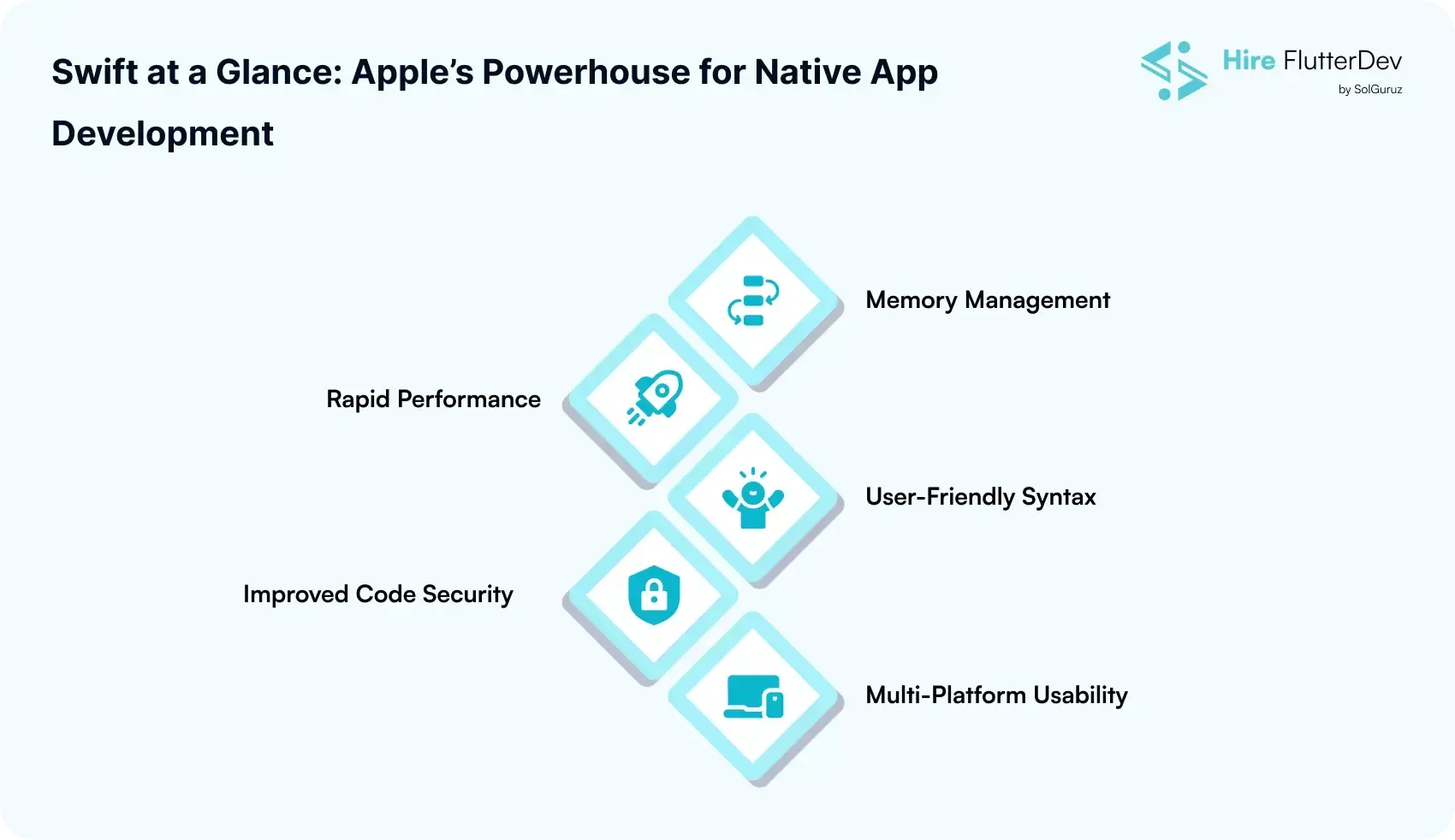
Swift comes with several amazing features for app development. Have a look to determine how they can help you in building business applications.
Memory Management
Like other programming languages, previous Swift versions also had excessive memo usagery. However, the current version offers a generic memory space that lets the apps save bandwidth and space smoothly.
Rapid Performance
Swift does not need multiple code testing or error correcting, as it comes with an automated feature for these processes. This feature saves both your time and effort when you are building an app in Swift.
User-Friendly Syntax
You can build an app with Swift and not worry about syntax performance. Swift’s syntax is simple and easily accessible, using which you can code algorithms smoothly. Also, you get to read through the code easily.
Improved Code Security
The programming language ensures the complete safety of the apps built using Swift app development. The base language erases any unsafe parts automatically before releasing it.
Multi-Platform Usability
Just like choosing Swift for Android app development, you can opt for Swift iOS app development, undoubtedly. It works equally fine as the programming language has complete compatibility with various operating systems like Linux, WatchOS, macOS, etc.
Key Advantages & Disadvantages of Using Swift
Let’s dive deep down into the top perks & pitfalls of Swift to see how it would impact or shape your future app’s performance.
Advantages
Smooth Coding with the LLVM Compiler
Swift offers you the LLVM technology through which it enables you to standard library, which also increases the speed of code, and provides more efficient output.
Easy to Manage & Less Error-Prone
With the deployment of Swift, it minimizes the errors in coding and makes the development process more balanced.
Enhanced App Security
Swift automatically performs error checks and improves memory management, ensuring your apps are safe and stable.
Continuously Evolving Features
You can easily enjoy modern functionalities and AI-enabled features, being an open source model, Swift continues to deploy new features, enabling developers to build apps.
Automatic Library Integration
When app versions are released, Swift seamlessly integrates the necessary libraries into the device, simplifying deployment.

Disadvantages
Dependency on Xcode
This framework is heavily dependent on the Xcode framework, which may not be suitable for many developers.
Limited Cross-Platform Support
Swift is not capable of working or competing with Flutter's functionality of building cross-platform apps seamlessly.
Relative Immaturity Compared to Older Languages
With the change of language, such as C# or C++, which have reached their maturity stage, but Swift fails to do it, and that can affect the project's success in some scenarios.
Rapid Changes Can Be Challenging
To maintain the level of consistency, it can be difficult for Swift to deal with constant change.
Flutter vs Swift
Let’s discover the difference between Flutter Vs Swift to find the ideal framework that best suits your app development needs.
Flutter | Swift | |
| Language Type | Static | Static |
| Technology | Open-Source | Open-Source |
| Cross-Platform Compatibility | Yes | No |
| UI Builders | Flutter UI Toolkit | Swift UI |
| UI Paradigm | Declarative | Declarative |
| Language Type | Object-Oriented | Object-Oriented with Functional Elements |
| IDE | Android Studio, Visual Code, IntelliJ | Xcode |
| Clientele | Google Ads, MyBMW, eBay Motors, New York Times, Google Pay | Uber, Airbnb, WhatsApp, Slack, LinkedIn |
Flutter vs Swift: Detailed Breakdown
Read on to learn about the differences when discussing Flutter vs Swift.
Code Reusability & Plugins
With Swift, you can reuse the code within the same logic, but you cannot do it for code and plugins when developing apps for other platforms. Whereas with Flutter app development, you can reuse a single code across various platforms like Linux, Windows, Android, and iOS.
Performance
Flutter comes with a native-like performance with its preset effects and animations. However, building an app with Swift lets you develop a clean, robust, fast, and reliable application that comes with high-end quality and performance.
Speed
Because of its native language, Swift offers relatively faster performance. On the other hand, although Flutter is a hybrid tool, it offers equally excellent speed.
App Launch
With the use of Flutter, it enables you to write code at the same time when building Android and iOS apps. Besides Swift, you need to develop every UI and UX component from the start.
User Interface
Swift iOS app development is easy, but it requires you to develop UI/UX elements, which consume more time and effort. With Flutter, you can make complete use of its widget system and develop native-like applications.
Community & Support
As backed by Apple, Swift is more specific to iOS. And that makes it limited to certain spaces. But as the Flutter app development agency is backed by Google, its developer community is spread across wider spaces and forums.
Developing Cost
You can develop iOS apps with Swift for free. However, if you plan to use Swift for Android app development, you need a different language as well as a new team. On the other hand, you can hire dedicated Flutter app developers to build for both iOS and Android apps with a single codebase, which works seamlessly.
Trends & Future Outlook (2025 and Beyond)
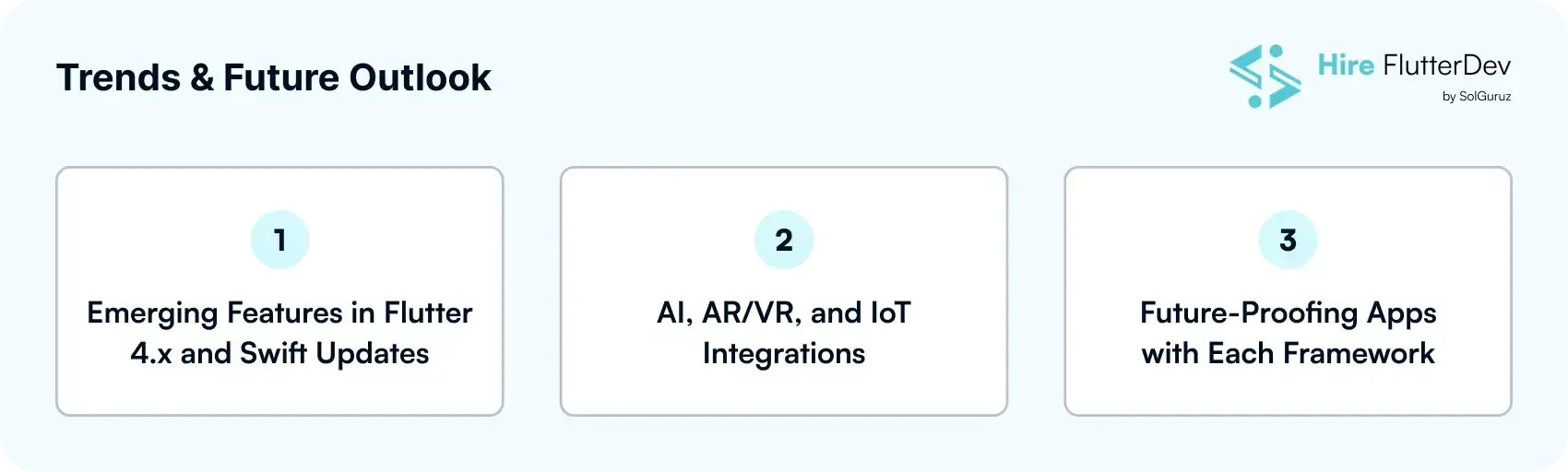
With the fast change of the 2025 digital era, the need for both these frameworks has increased. The question is now what new changes or trends in the upcoming days will be adopted by developers. Discussed below are some of the trends:
1. Emerging Features in Flutter 4.x and Swift Updates
Flutter 4.x
In order to provide smooth animations or native like performance, Flutter 4 aims to optimise the render engines.
Swift Updates
Better concurrency, quicker compile times, and good memory management.
2. AI, AR/VR, and IoT Integrations
Flutter
Flutter works seamlessly with TensorFlow Lite, Firebase ML, and OpenAI APIs for on-device AI features like image recognition, predictive analytics, and chatbots.
Swift
Swift apps can leverage Core ML for machine learning on Apple devices, allowing real-time predictions and image/audio recognition
3. Future-Proofing Apps with Each Framework
Flutter
Cross-platform capability ensures your app works on multiple devices, reducing the risk of obsolescence.
Swift
The ecosystem of Apple properly ensures dominance over Swift apps remain optimized for iOS, macOS, and other platforms.
Key Note: Both frameworks are going with AI and ML, but the selection criteria are dependent on your target audience, platform needs, and development strategy at ease.
So, Is Flutter Better Than Swift?
Still confused? The choice of choosing between Flutter and Swift depends on business requirements:
- Swift: For Android native apps
- Flutter: For multi-platform apps
Need Help Choosing Between Flutter and Swift?
The demand and argument between Flutter vs Swift is not going to stop, right? With the continuous development of AI and ML across the globe, more new toolkits are being introduced amongst these two. But one thing is clear that whether choosing between Flutter or Swift, the decision is highly based on business goals and the output you want.
Hence, hiring a dedicated development team for your app is important. So, don't wait for the right moment, Hire Flutterdev, a leading mobile app development company, is highlight engaged in delivering high-end end robust designs, architecture of apps and desktops with modern features.
Get ready and talk to our experts now, who will consult with you and provide you with the best decisions as per your project requirements.

FAQs
Is Swift better than Flutter?
While Swift is a mature programming language, Flutter or Dart is comparatively newer. But both fulfill different requirements of users. Swift offers top security and amazing performance, whereas Dart provides rapid speed and a wider developer community.
Which is more budget-friendly, Swift or Flutter?
If you are aiming for a budget-friendly framework, go with Flutter. Because it allows you to create mobile apps for both iOS and Android and get integrated across all platforms.
What should I choose between Flutter and Swift for better security?
Flutter, being an open-source framework, lacks tight security if we compare it to Swift. Swift is renowned for offering better security than many other app development tools. It layers syntaxes to ensure data safety.
Can I migrate an existing iOS app from Swift to Flutter?
Yes, you can migrate any existing iOS application from Swift to Flutter. The process is very simple, and developers can seamlessly do it without hampering the app’s performance or quality. Android applications can also be migrated to Flutter from Swift.